



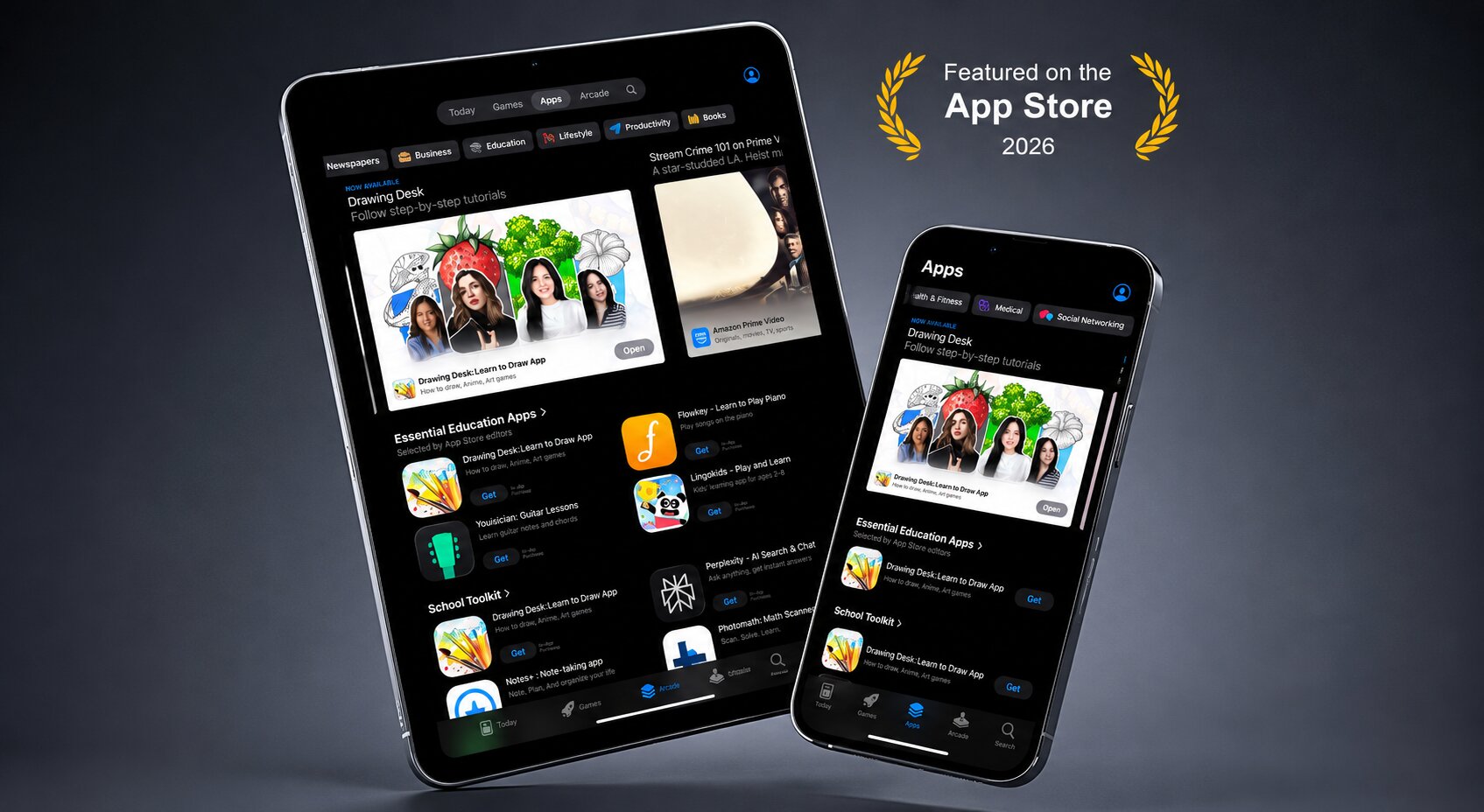
Drawing Desk has officially been featured by Apple on the App Store, highlighting the platform’s growing impact on creative education and artist-led learning experiences. But this recognition wasn’t just about drawing tools or digital art features. It was about something much bigger: the Drawing Desk Creator Community.
The Creator Community is helping transform Drawing Desk from a traditional learn-to-draw app into something much bigger: a global creative platform where artists can teach, inspire, build audiences, and share their creativity through guided drawing lessons. What started as a step-by-step learning experience for beginners is now evolving into a creator-powered ecosystem that connects artists and learners from around the world through creative education.
This Apple feature marks an important milestone not only for Drawing Desk, but also for the future of creative learning.
Why Apple Featured Drawing Desk
Apple regularly highlights apps that create meaningful experiences for users through innovation, creativity, and quality design. Drawing Desk was featured because its Creator Community introduces a unique approach to creative education where artists can create and publish lessons while users learn through structured drawing experiences.
Drawing Desk has been featured by Apple multiple times over the years for its creative learning experience, educational value, and innovation across Apple devices. From educational app collections to creative tool showcases, these features reflect Apple’s continued recognition of Drawing Desk as a platform that helps students, beginners, and artists learn creativity in engaging and meaningful ways. The latest feature highlighting the Creator Community marks another important milestone in Drawing Desk’s journey as a global creative learning platform.
What Is the Drawing Desk Creator Community?
The Drawing Desk Creator Community is a platform where artists from around the world can create and publish drawing lessons for millions of users. These lessons include anime drawing lessons, kawaii art tutorials, character design, doodle art, beginner tutorials, and digital art techniques.
A New Platform for Artists to Teach and Earn
Drawing Desk introduces a structured learning platform built specifically for art education. Artists can become global educators while teaching drawing lessons to beginners, hobby artists, kids, and anime fans around the world.
Why the Creator Community Matters for Creative Learning
Many users struggle to learn drawing online because tutorials move too fast or skip important steps. Drawing Desk solves this with step-by-step lessons, guided practice, and beginner-friendly pacing.
How Creator Lessons Work
Users can choose a course, follow guided lesson steps, practice directly on screen, learn at their own pace, and gradually build creative confidence through structured drawing experiences.
Featured Drawing Courses Inside Drawing Desk
The Creator Community includes featured courses such as Fun Stylized Art, Animal Character Designs, Flower Drawings, Kawaii Fruits Illustrations, Journal and Scrapbook Titles, and Nature Drawings, all designed to make digital art approachable, relaxing, and beginner-friendly for creative learners of all ages.
Why This Experience Stands Out from YouTube Tutorials
Unlike traditional video tutorials, Drawing Desk Creator lessons provide structured learning, interactive practice, and focused lessons filled with practical tips and tricks that actually matter, helping users actively improve while drawing instead of simply watching passively.
How Drawing Desk Helps Artists Reach a Global Audience
Artists can publish lessons globally on iPad, iPhone, Android, and the Web, reaching millions of creative learners worldwide.
Drawing Desk on iPad and Apple Devices
Drawing Desk is deeply integrated into the Apple ecosystem with Apple Pencil support, optimized iPad workflows, responsive creative tools, and smooth drawing experiences designed specifically for Apple devices. From iPad to iPhone, Drawing Desk delivers a seamless creative learning experience that feels natural within Apple’s ecosystem.
Start Learning from Global Artists
The Drawing Desk Creator Community is helping redefine how creative learning works on mobile devices. By combining artist-led lessons, guided drawing experiences, structured learning, and beginner-friendly creativity, Drawing Desk is building a global platform where anyone can learn art directly from creators. And now, with Apple recognizing the experience through its App Store feature, the future of creator-led art education looks even brighter.
Frequently Asked Questions
What is the Drawing Desk Creator Community?
The Creator Community is a platform where artists publish drawing lessons and teach users globally through guided creative learning experiences.
Why did Apple feature Drawing Desk?
Apple featured Drawing Desk because of its creator-driven learning experience, educational value, and structured approach to creative education.
Can artists earn through Drawing Desk Creator Community?
Yes. Artists can monetize lessons while reaching a global audience of creative learners.
What kind of lessons are available?
Users can learn anime drawing, kawaii art, doodles, character design, beginner drawing techniques, and seasonal art lessons.
Is Drawing Desk beginner-friendly?
Yes. Drawing Desk is designed for beginners, kids, hobby artists, and creative learners of all skill levels.


