


The Drawing Desk Creator Community is growing fast, and it’s quickly becoming one of the most exciting ways to learn drawing step by step inside one of the best drawing apps for kids and beginners.
Just weeks after launching with three founding artists, we’re thrilled to welcome two more talented creators to the program: Sara Lambardo, whose hand-lettering and journaling series is already a fan favourite, and Taisija Kalalina, whose bold stylized art lessons push what’s possible with a modern drawing lessons app.
Their video lesson series are now live inside Drawing Desk, giving kids, beginners, and aspiring artists the chance to explore stylized art drawing, journal title ideas, and creative techniques, all in one place, guided by real artists.
Why These Drawing Lessons Are Unique?
-
Artist-led creativity
-
Real-world drawing techniques
-
Fun + structured learning
-
Suitable for kids and adults
Quick Answer
What is the Drawing Desk Creator Community? It's a program that brings professional artists and illustrators directly into the Drawing Desk app, where they publish original video lesson series that users can watch and follow along with on any device.
Why it matters:
-
Learn directly from real artists
-
Explore new styles beyond traditional tutorials
-
Access constantly updated lessons
-
Discover unique creative approaches
This makes Drawing Desk not just a learning app, but a global art learning platform
Whether you're a longtime Drawing Desk user looking for fresh creative challenges, or someone just discovering the app and wondering what makes it different, this update is worth paying attention to. Here's everything you need to know about the two newest additions to the community.
Sara Lambardo: Journal & Scrapbook Titles
Hand-lettering · Bullet Journaling
If you've ever wanted your bullet journal, scrapbook pages, or digital notes to look like the ones you see all over Pinterest, Sara Lambardo's series is exactly what you need. Sara is a hand-lettering and journaling artist whose lessons focus on one of the most searched-for drawing skills online: how to write beautiful, decorative titles.
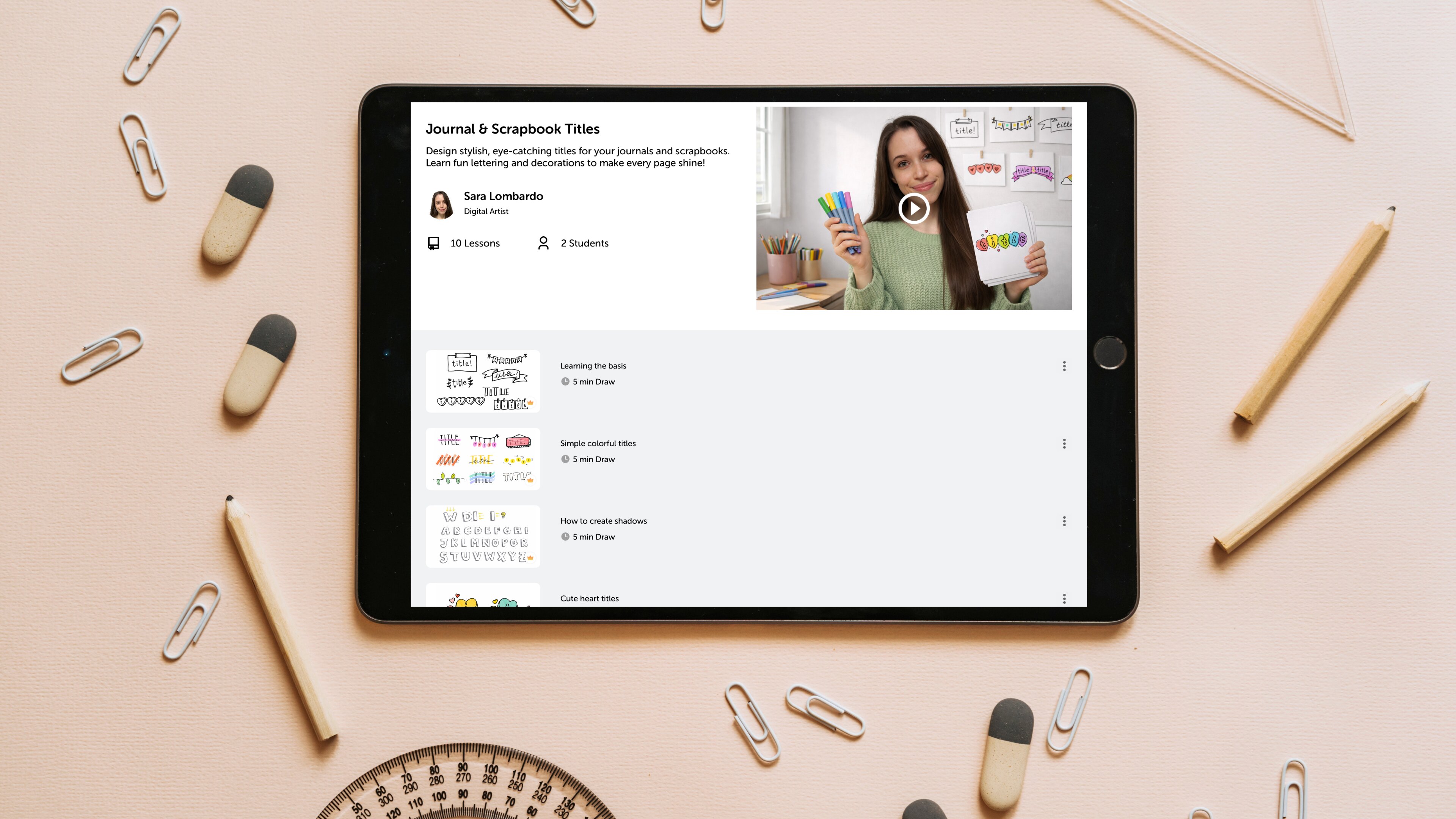
Her series inside Drawing Desk is designed as a full progression; you start with the fundamentals and build toward combining everything into cohesive, finished journal spreads. It's a genuinely structured curriculum, not just a collection of standalone tips.
What's inside Sara's lesson series
Here's the full breakdown of what Sara covers across her ten lessons:
-
Learning the basics
-
Simple colorful titles
-
How to create shadows
-
Cute heart titles
-
Simple page decorations
-
Combining all learnings
-
Coquette titles
-
How to write dates
-
Small flower decorations
-
Cute titles for your notes
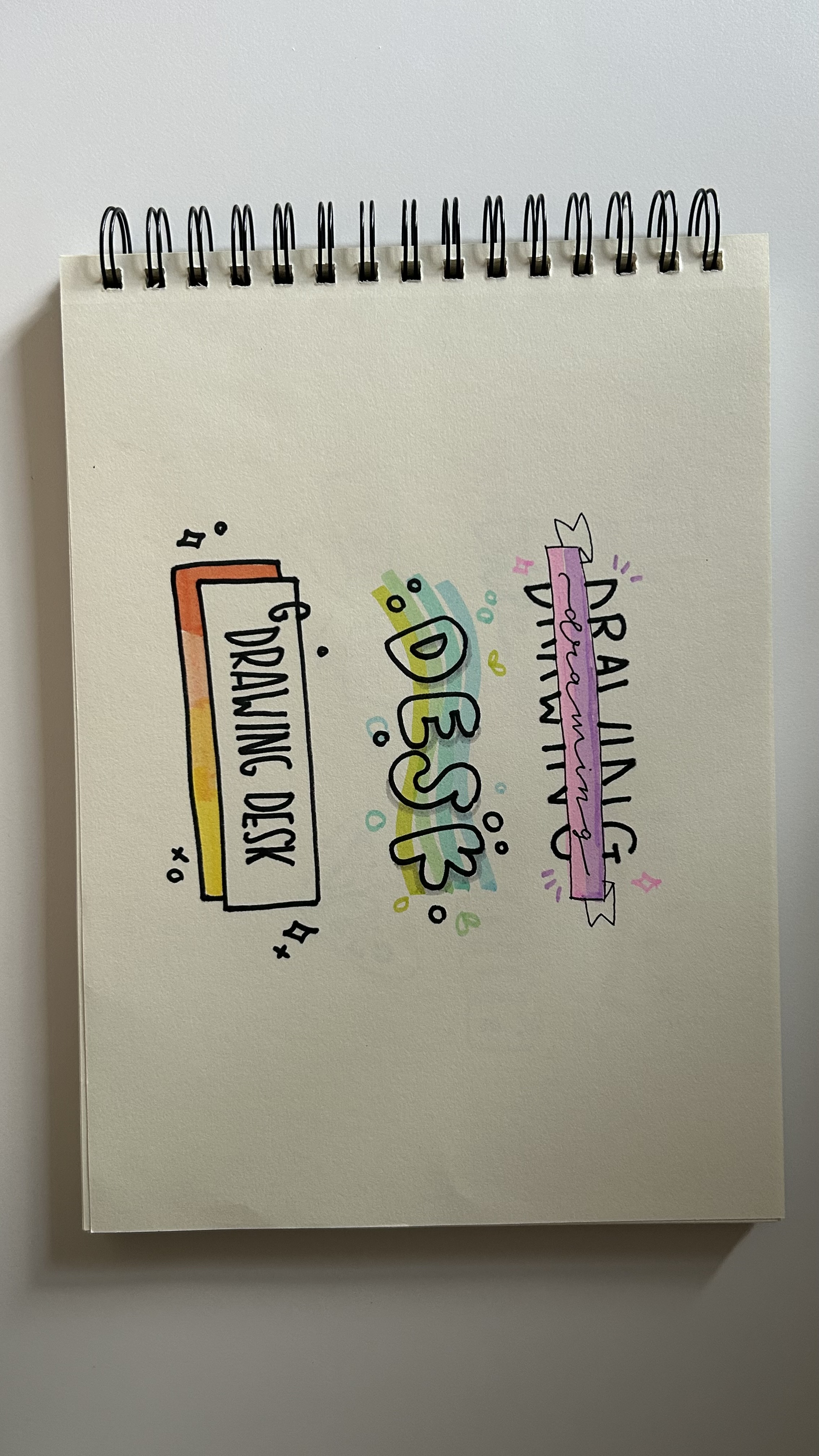
"Sara's series answers one of the most common questions in the journaling community: how do I actually make my titles look like that? The answer is now inside Drawing Desk."
Taisija Kalalina: Fun Stylized Art
Illustration · Stylized Characters
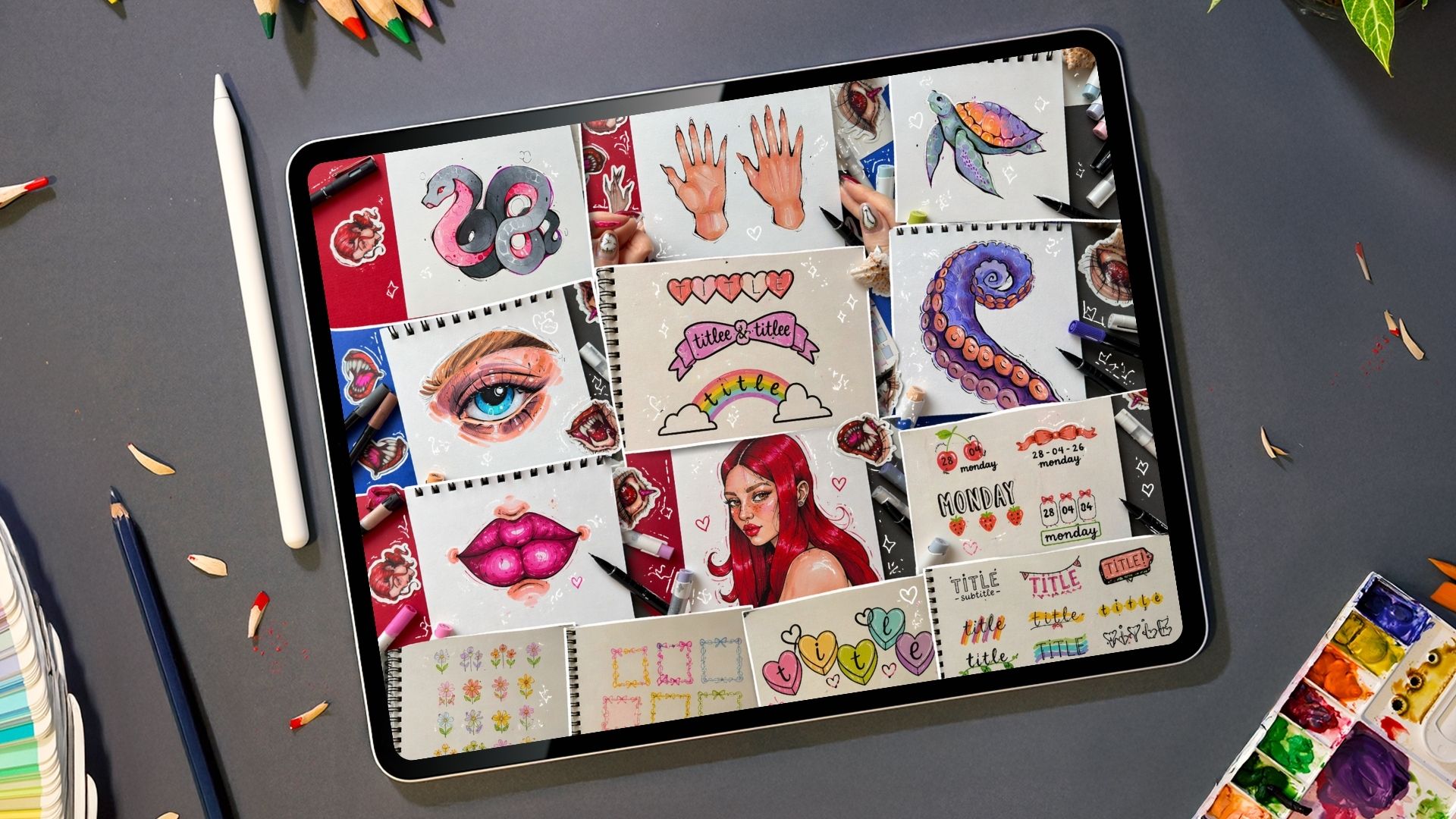
Taisija Kalalina's series, Fun Stylized Art, is something different. Where Sara's work leans into journaling and lettering, Taisija is a full-spectrum illustrator, and her lessons reflect that range. From anatomically challenging subjects like hands and portrait characters to vivid nature subjects like octopus tentacles and sea turtles, her series covers the kind of stylized illustration work that's grown enormously popular in digital art communities.
The defining characteristic of Taisija's style is bold, confident color with expressive linework. These aren't photorealistic tutorials; they're lessons in how to make a subject feel alive, dynamic, and distinctly yours. That's a skill that transfers across every subject you'll ever draw.
What's inside Taisija's Fun Stylized Art series
-
Vibrant Fig
-
Colorful Strawberry
-
Juicy Blueberry
-
Drawing Hands
-
Curled Snake
-
Sea Turtle
-
Realistic Eye
-
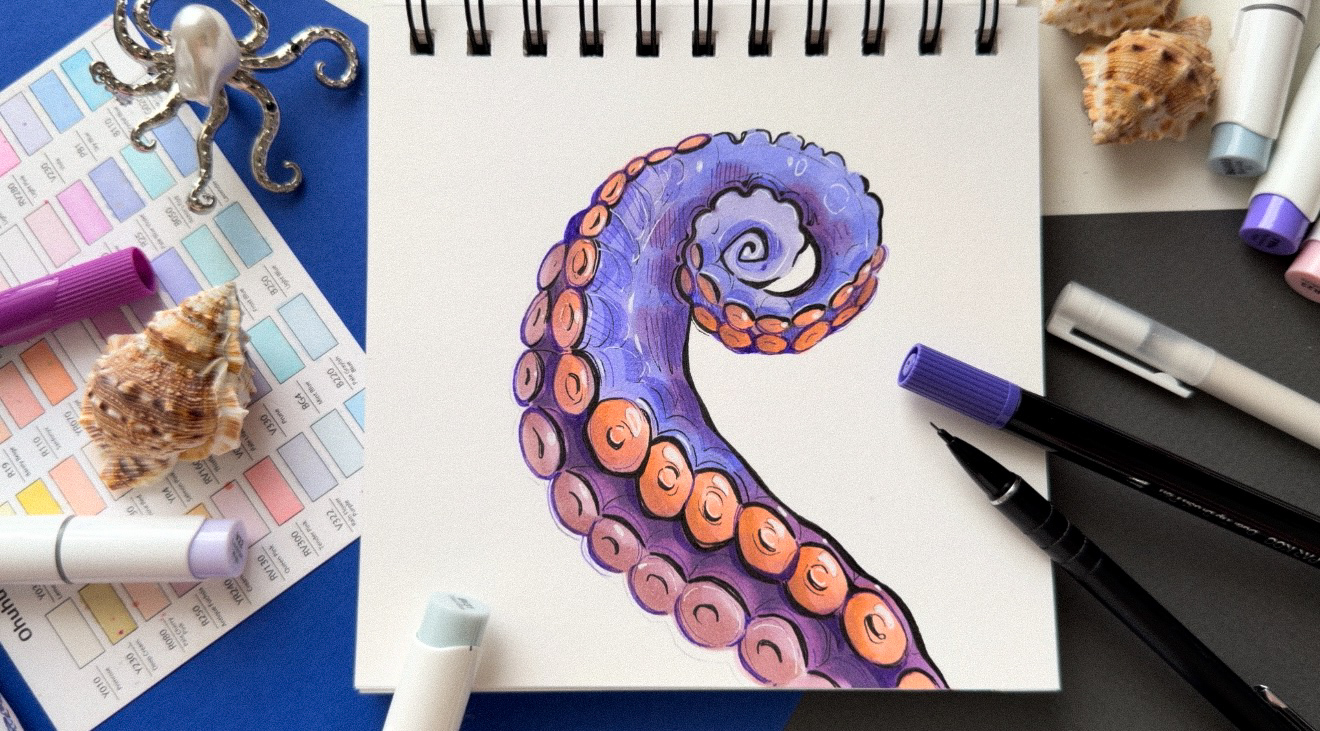
Octopus Tentacle
-
Glossy Lips
-
Character Portrait
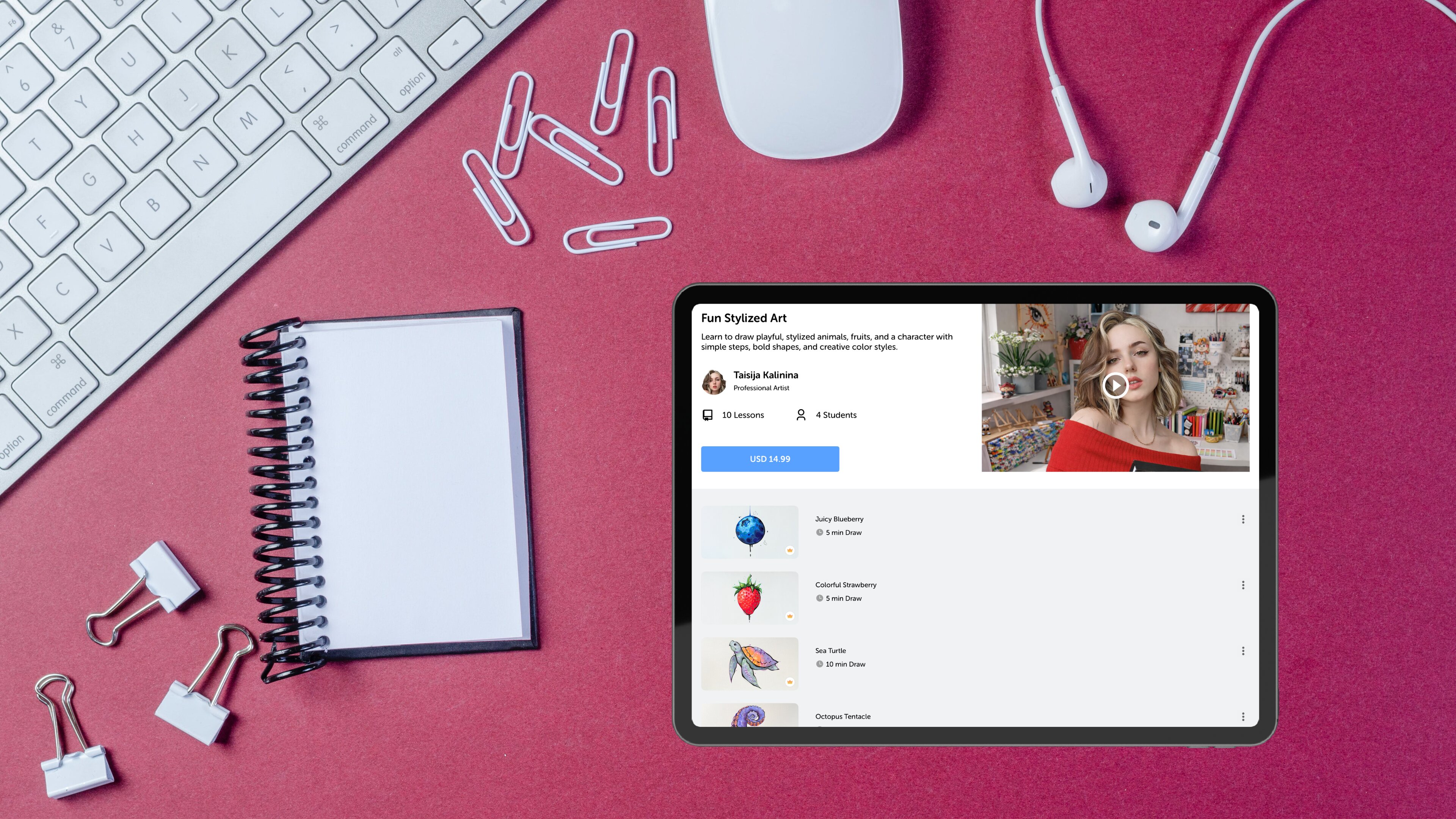
"Taisija's Fun Stylized Art series demonstrates the breadth of what stylized illustration can cover — from hands and portrait characters to ocean creatures — all with a cohesive, confident visual language."
Stylized Art Drawing Lessons for Beginners
The Fun Stylized Art course is designed to help you create bold, eye-catching illustrations using vibrant colors and creative forms.
What you’ll learn:
-
How to draw stylized fruits with depth and color
-
Techniques for creating juicy textures and glossy effects
-
Drawing expressive features like eyes, lips, and hands
-
Building a complete stylized character portrait
-
Creating dynamic forms like snakes, tentacles, and animals
Why Drawing Desk Is One of the Best Drawing Apps for Kids
This update strengthens Drawing Desk’s position as a personal drawing trainer by combining:
Structured Learning + Creative Freedom
-
Step-by-step guidance
-
Artist-led creative styles
Global Art Exposure
-
Learn techniques from international creators
-
Explore different art styles in one place
Skill Progression
-
Beginner → Advanced creative techniques
-
Real improvement through guided practice
The Drawing Desk Creator Community: What It Is and Why It Matters
For those new to Drawing Desk: the Creator Community is the platform's artist program. Unlike generic tutorial sites or YouTube channels, every lesson in the Creator Community is made by working artists who create specifically for the Drawing Desk environment. Lessons are embedded directly in the app — you can watch, pause, and draw simultaneously without switching between screens.
How to Access These New Lessons
-
Open Drawing Desk
-
Go to the Creators tab
-
Select:
-
Fun Stylized Art
OR
- Journal & Scrapbook Titles
-
Start learning instantly
Sara and Kalalina are waiting inside Drawing Desk.
Open the app, head to the Creator Community section, and start your first lesson today. Both series are live now.
Open Drawing Desk →Start Learning Drawing Today
The Drawing Desk Creator Community launched just weeks ago and is already home to five professional artists across a growing library of video lessons. Whether you're learning how to draw stylized animals, mastering hand-lettering for your bullet journal, or exploring character portrait illustration for the first time, the tools, lessons, and community are all inside one app. Download Drawing Desk and start creating.
Frequently Asked Questions
How can beginners learn stylized art drawing step by step using a drawing app?
Yes. The Fun Stylized Art course starts with simple forms and gradually builds into advanced illustrations.
How can I make aesthetic notes using drawing lessons?
The Journal & Scrapbook Titles course teaches lettering, decorations, and layouts to make your notes visually appealing.
Are these lessons suitable for kids?
Yes. Drawing Desk is designed for kids, teens, and adults, with easy-to-follow lessons.
How many artists are in the Drawing Desk Creator Community?
The community now includes five artists: Rayssa Gabriela, Sumouli Dutta, Clara Giordano, Sara Lambardo, and Taisija Kalalina, with more creators planned.
What is the best drawing app for kids to learn step by step?
Drawing Desk is one of the best drawing apps for kids, offering step-by-step lessons, on-screen guides, and artist-led tutorials.


