


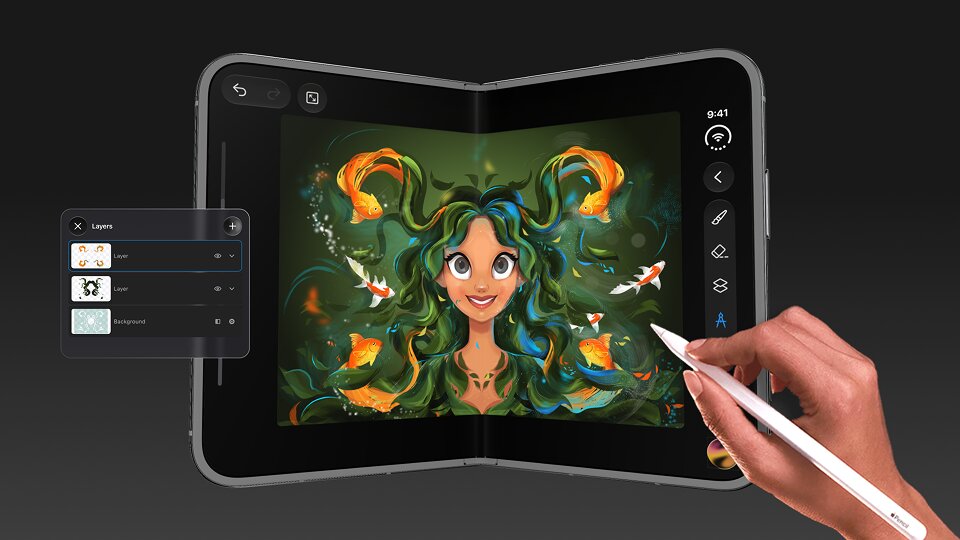
Apple's first foldable iPhone has arrived, bringing a new way to experience mobile creativity. With its expansive display and flexible design, the iPhone Duo opens up exciting possibilities for digital artists, illustrators, and designers.
SketchPro is fully supported and optimized for iPhone Duo, bringing its drawing tools, customizable brushes, and creative features to Apple's new foldable device.
Whether you're sketching an idea, creating detailed illustrations, or experimenting with digital painting, SketchPro makes it possible to turn your iPhone Duo into a portable creative workspace.
Meet the iPhone Duo: Apple's First Foldable iPhone
Released on October 23, 2026, the iPhone Duo introduces Apple's first foldable iPhone design.
More room for creativity
Its 7.6-inch Super Retina XDR inner display provides a larger viewing area when unfolded, offering 50% more display space than the iPhone 18 Pro Max.
The device also introduces flexible orientations, allowing users to switch between compact and expanded viewing experiences.
For digital artists, the larger display creates opportunities to explore artwork, work with drawing tools, and develop illustrations on a more spacious screen.
With SketchPro optimized for iPhone Duo, creators can take advantage of this new form factor while enjoying a familiar drawing experience.
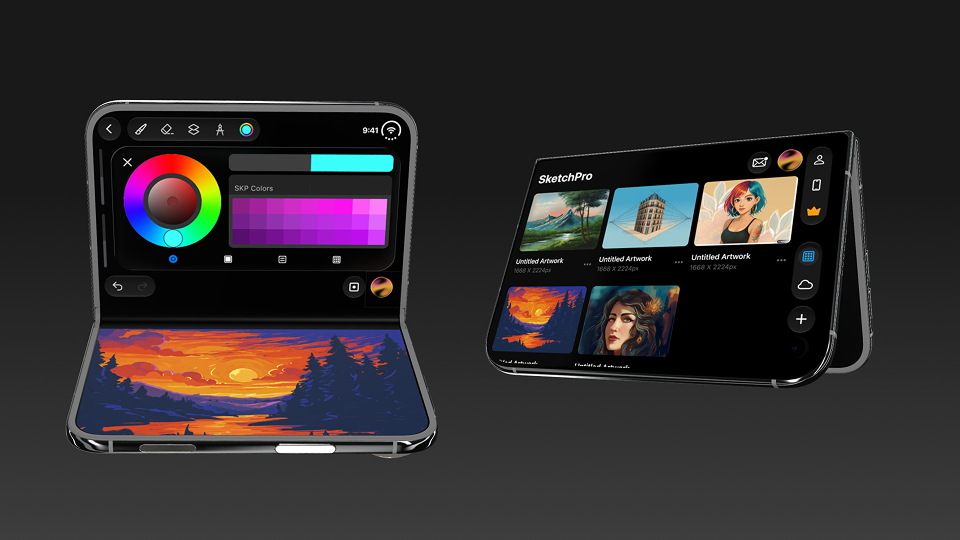
SketchPro: A Drawing App Optimized for iPhone Duo
SketchPro brings together digital sketching, painting, and illustration tools in a creative workspace designed for artists at different skill levels.
Its iPhone Duo optimization supports a drawing experience that complements the device's foldable design.
Here are some of the features artists can explore.
100+ Customizable Brushes
Brush selection plays an important role in digital artwork.
SketchPro offers 100+ customizable brushes, giving artists different ways to create lines, textures, and painted effects.
Whether you're experimenting with expressive brushstrokes, sketching characters, or developing detailed illustrations, the brush collection supports different creative styles.
Powerful Sketching and Drawing Tools
SketchPro includes drawing tools that help artists develop artwork from initial sketches to finished illustrations.
Users can explore brushes, erasers, layers, and other creative controls while working on their projects.
On the iPhone Duo's expanded display, these tools contribute to a more spacious drawing environment.
Creative Color Tools
Color can transform a simple sketch into a vibrant illustration.
SketchPro provides color selection tools and palettes that help artists experiment with different combinations, shades, and artistic styles.
From colorful character designs to atmospheric landscapes, creators can explore a range of visual possibilities.
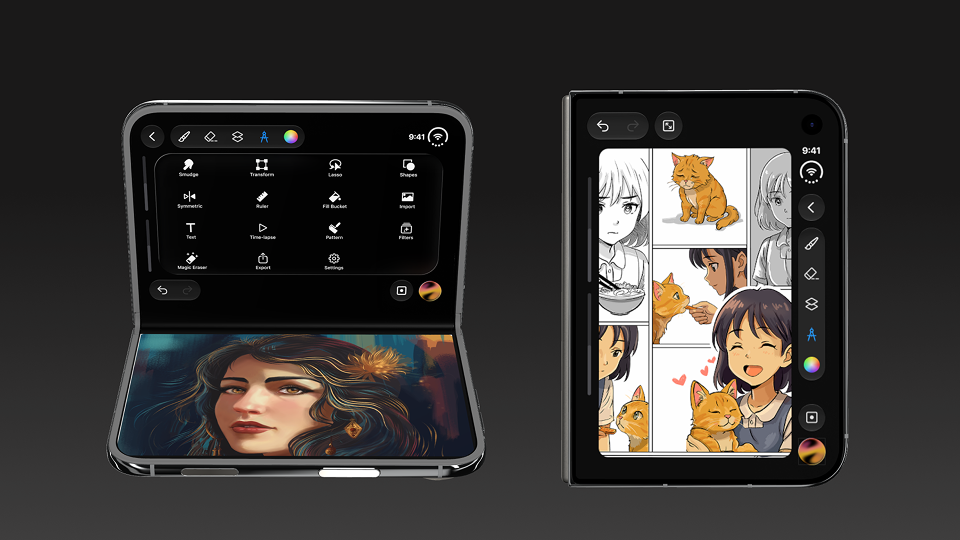
Create Illustrations, Characters, and Storyboards
The iPhone Duo isn't just about having a larger screen. Its foldable design introduces new possibilities for mobile creative workflows.
With SketchPro, artists can work on different types of artwork, including:
- Digital illustrations: Create colorful artwork with brushes and painting tools.
- Character designs: Develop expressive characters and experiment with different artistic styles.
- Storyboards: Organize visual ideas into illustrated sequences.
- Anime-inspired artwork: Explore stylized characters, expressions, and detailed scenes.
- Landscape paintings: Experiment with colors, textures, and scenery.
The expanded display provides more room to view artwork while developing detailed compositions.
Organize Your Creative Workflow With SketchPro
A well-organized workspace helps artists focus on their creative process.
SketchPro includes features designed to support different stages of digital drawing.
| Feature | How It Helps |
|---|---|
| Layers | Organize artwork into separate elements for easier editing. |
| Fill Bucket | Apply colors to selected areas of an illustration. |
| Transform | Adjust elements while refining compositions. |
| Magic Eraser | Remove unwanted parts of artwork. |
| Symmetry Tools | Explore balanced shapes and symmetrical designs. |
These features allow artists to move between sketching, coloring, editing, and refining their work within one creative environment.
Why iPhone Duo Is Exciting for Digital Artists
The arrival of the iPhone Duo introduces a different approach to creating artwork on a smartphone.
Its foldable design combines portability with a larger inner display, making it possible to explore creative projects without always relying on a separate tablet.
For artists, this creates several practical possibilities:
- More display space for viewing illustrations.
- Flexible screen orientations for different compositions.
- A portable device for capturing creative ideas.
- Access to digital drawing tools while traveling or working away from a desk.
With SketchPro optimized for iPhone Duo, artists can explore these possibilities through a dedicated digital drawing experience.
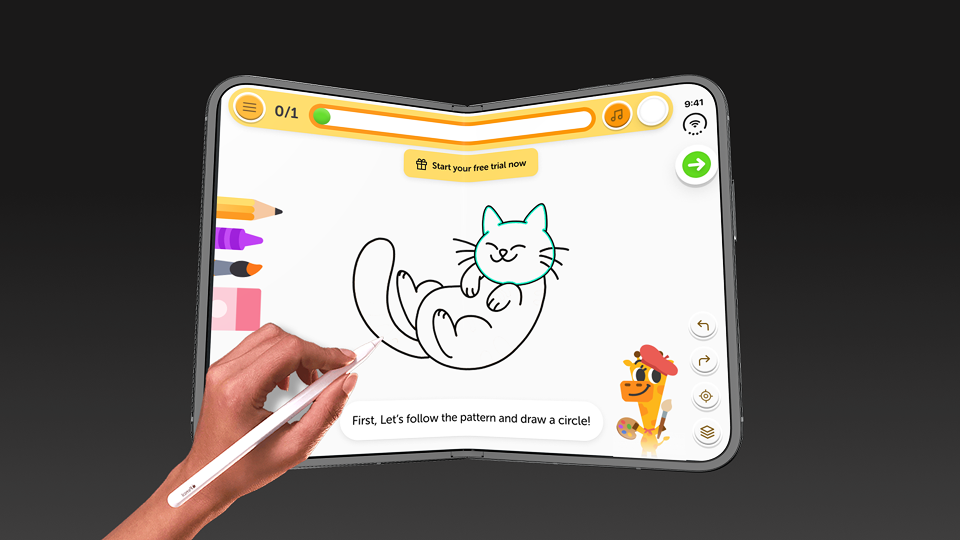
Coming Soon
Drawing Desk Optimized for iPhone Duo
The creative possibilities of iPhone Duo are set to expand even further. Drawing Desk will soon be optimized for iPhone Duo, bringing its guided drawing lessons and creative tools to Apple's new foldable iPhone.
Drawing Desk offers more than 2,000 step-by-step drawing lessons covering a variety of artistic styles, including kawaii, anime, animals, cartoons, and digital art.
With upcoming iPhone Duo optimization, Drawing Desk aims to make the most of the device's foldable display, offering a more spacious environment for learning, practicing, and exploring creativity.
While SketchPro is already optimized for iPhone Duo for digital sketching and illustration, Drawing Desk will soon offer another creative experience focused on learning to draw.
Stay tuned for Drawing Desk's upcoming iPhone Duo support and discover more ways to bring your creativity to life.
Frequently Asked Questions
Does SketchPro support iPhone Duo?
Yes. SketchPro is fully supported and optimized for iPhone Duo, allowing artists to use its drawing and illustration tools on Apple's foldable iPhone.
Can you draw on iPhone Duo?
Yes. Compatible drawing apps such as SketchPro let users create digital sketches, illustrations, and artwork on iPhone Duo.
What can you create with SketchPro on iPhone Duo?
Artists can create character designs, digital paintings, illustrations, storyboards, and other creative projects using SketchPro's drawing tools.
Your Next Creative Project
Start Creating With SketchPro on iPhone Duo
The iPhone Duo introduces a new chapter in Apple's smartphone design, combining a foldable display with a more expansive mobile experience.
With SketchPro optimized for iPhone Duo, creators can explore digital drawing, illustration, and painting through a workspace built for creative expression.
Whether you're developing your next character, sketching a new idea, or experimenting with color, SketchPro brings creative possibilities to Apple's newest foldable iPhone.
Explore SketchPro and discover a new way to create on iPhone Duo.


